All tutorialsAI Influencer Tutorial

How to create an AI Influencer for your fashion brand

Build a reusable virtual model once, then use her across campaign images, product content, and future Milano AI workflows.

Now on YouTube

Watch the AI Influencer tutorial

Watch how to create a reusable AI Influencer, choose identity and look settings, upload a clothing reference, and save the model to your library.

Now on YouTube

What you will learn in this tutorial

Milano AI Influencer is for brands that want a consistent virtual model they can reuse across future fashion content. Instead of creating a new person for every image, you create one saved influencer profile with a clear identity and look.

In this tutorial, you start from the first-time dashboard, choose the model identity, define the visual direction, upload a real clothing reference, and save the finished influencer to your library.

Start from the first-time AI Influencer dashboard

Open AI Influencer from the dashboard. The first-time state explains what the tool creates: a reusable model with customizable face, body, style, and campaign reuse.

  • Use this workflow when model consistency matters across launches and campaigns.
  • Create one influencer profile before generating campaign images with her.
  • Think of the influencer as a reusable brand model, not a one-off image.
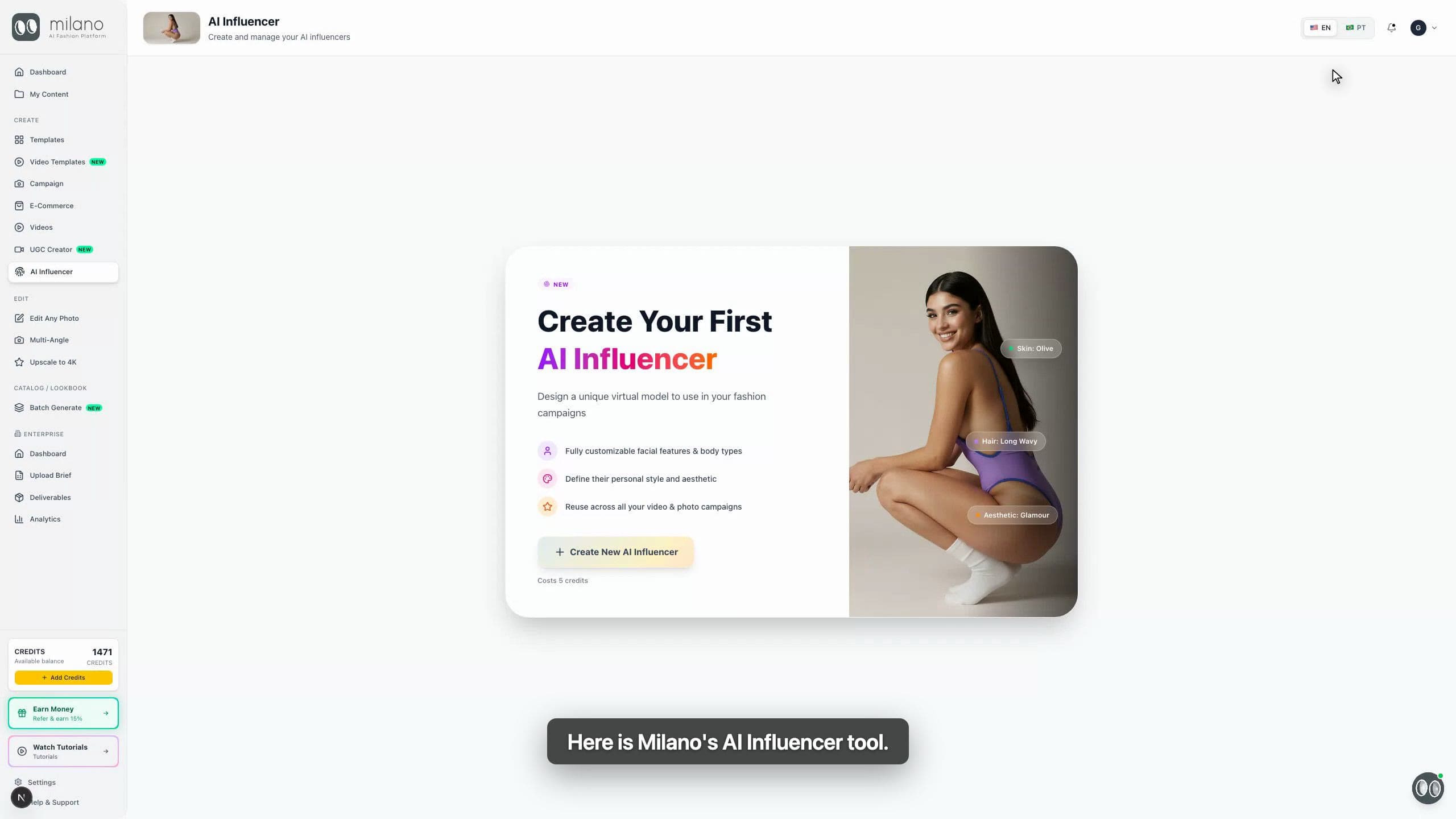
AI Influencer first-time dashboard in Milano AI
Close-up: start from the first-time AI Influencer screen.

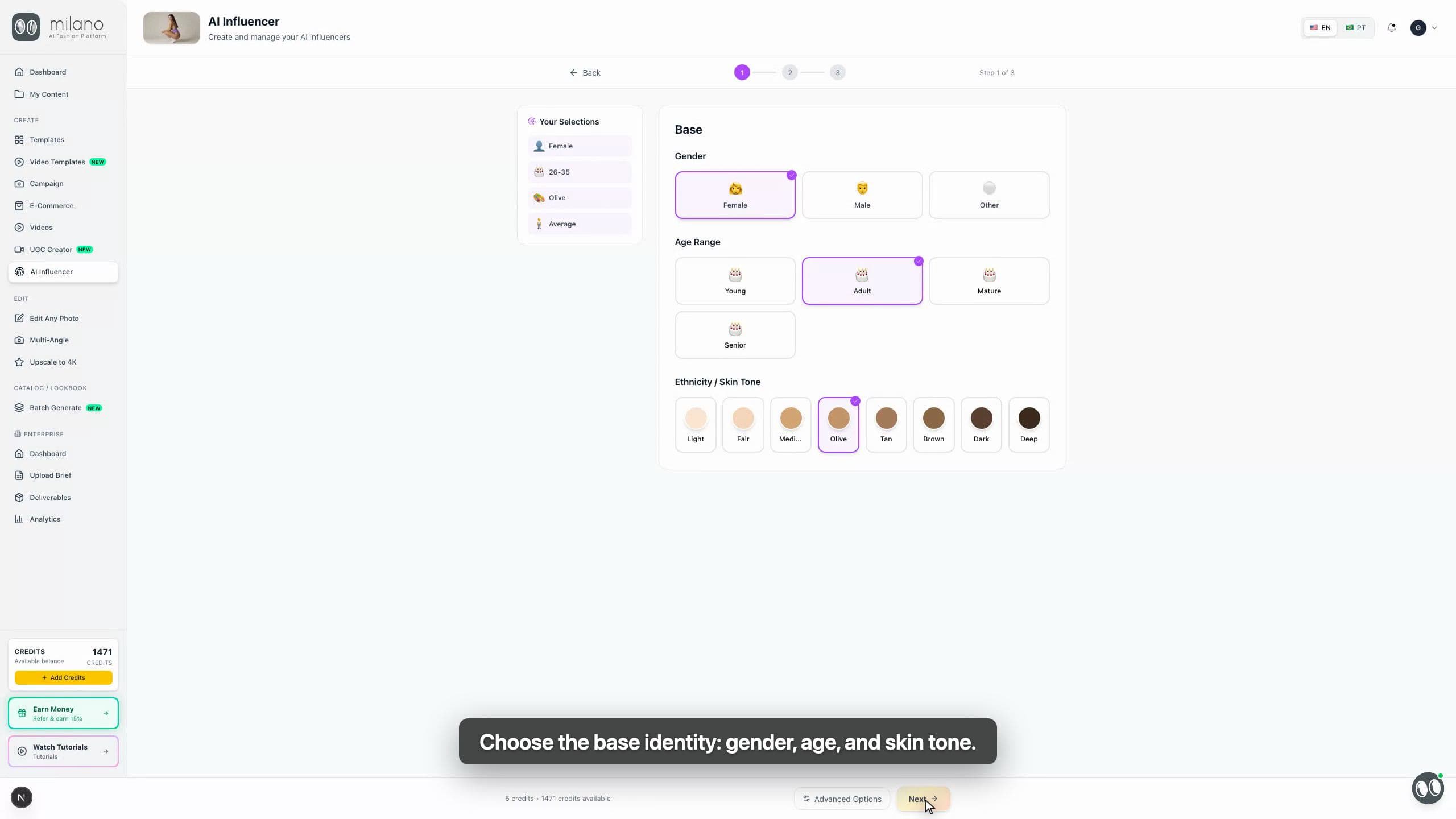
Choose the base identity

Start with the base identity: gender, age range, and skin tone. These choices set the foundation before you refine hair, eyes, body type, and clothing.

  • Choose settings that match the audience and brand direction.
  • Keep the base simple if you plan to use the influencer across many campaigns.
  • Use a consistent profile when building a recognizable brand model.
AI Influencer base identity selections for gender, age, and skin tone
Close-up: choose the base identity before refining the look.

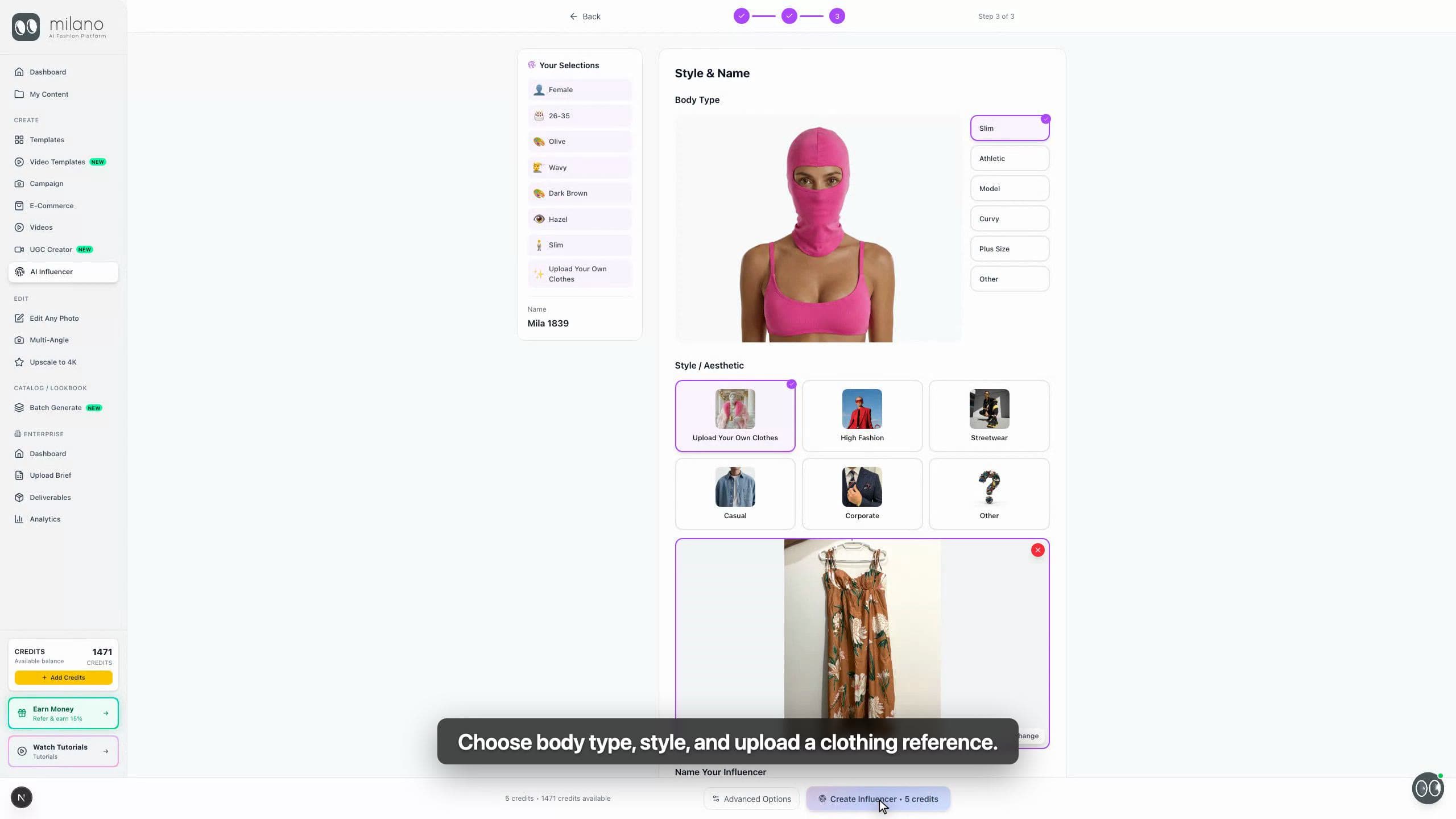
Define the look and style

Next, choose hair style, hair color, eye color, body type, and fashion aesthetic. You can also upload a clothing reference when you want the influencer to wear a real product.

  • Use a clear clothing reference when product accuracy matters.
  • Choose a look that can work across multiple product drops.
  • Name the influencer so the saved profile is easy to find later.
AI Influencer style step with clothing upload and name field
Close-up: define the look, upload clothing, and name the influencer.

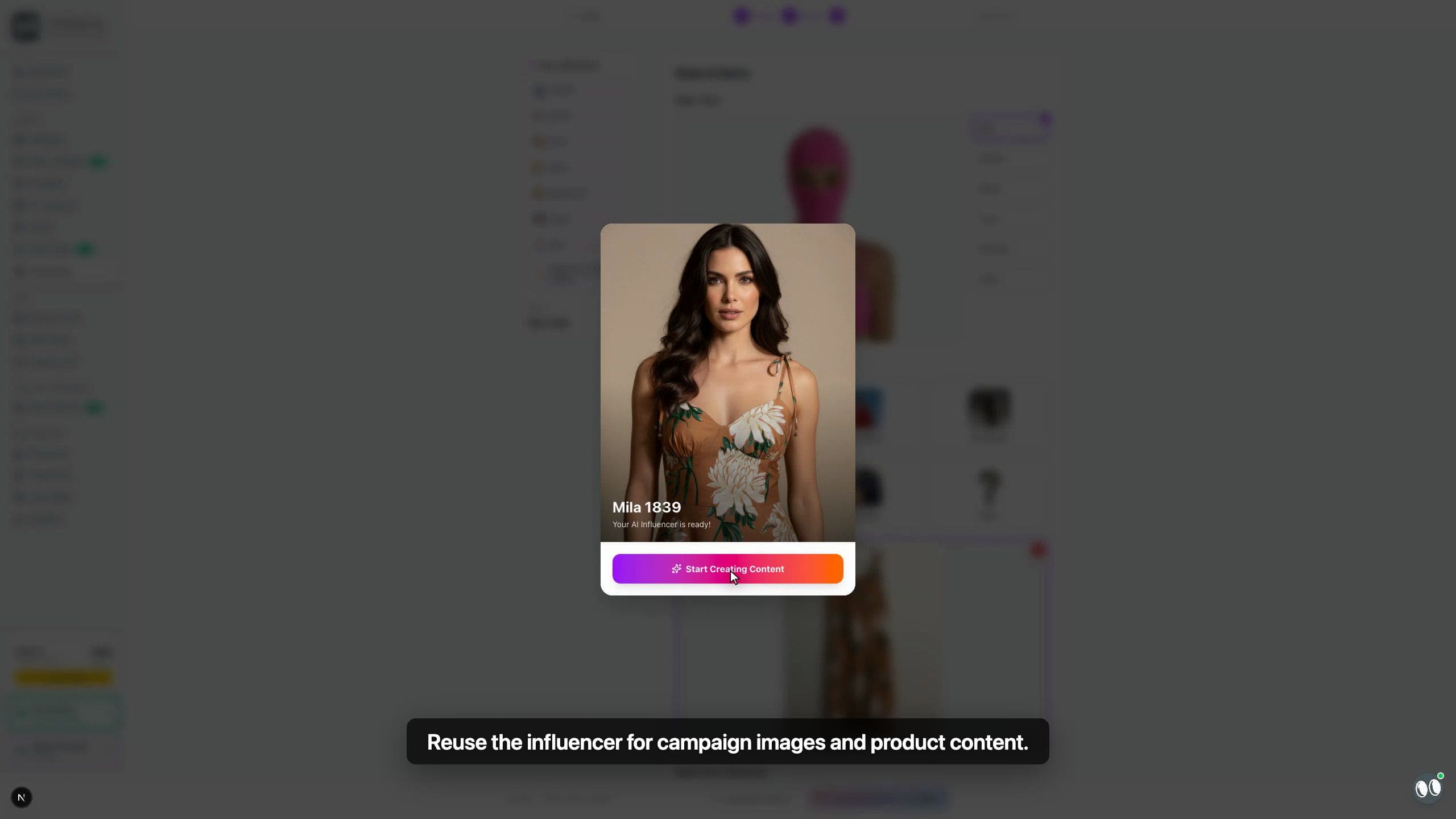
Review and reuse the saved influencer

After creation, Milano saves the influencer to your library. From there, you can reuse the same virtual model for campaign images, product content, and social visuals.

  • Check the face, hair, styling, and garment feel before reusing the model.
  • Use the same influencer when consistency is more important than variety.
  • Create additional influencers only when you need a different brand persona.
Generated AI Influencer result modal in Milano AI
Close-up: the final influencer is ready to reuse in new content.

Best practices for AI Influencers

Design for reuse

Choose a look that can carry multiple campaigns, not only one outfit or one trend.

Keep product references clear

If you upload clothing, use a sharp image where color, print, silhouette, and details are easy to read.

Review brand fit

The influencer should feel aligned with your audience, price point, styling, and campaign mood.

Build a small roster

A few reusable influencers are usually more useful than many one-off models with no consistency.

AI Influencer use cases you can copy

These notes help you decide when to create and reuse a saved influencer.

Campaign model

Create an AI Influencer when a campaign needs the same recognizable model across multiple images.

Product content

Use the same influencer for product photos when you want consistent styling across collection pages.

Social content

Reuse a saved influencer for social visuals so your brand model feels familiar over time.

Why AI Influencers matter for fashion content

Fashion brands need visual consistency across campaigns, product pages, ads, and social content. A reusable AI Influencer helps teams create a recognizable virtual model once, then bring that same model into future Milano AI workflows without rebuilding the identity each time.

AI Influencer FAQ

What is an AI Influencer in Milano AI?

It is a reusable virtual model profile that you can create, save, and use again in future fashion content.

Can I upload a real clothing reference?

Yes. You can upload a clothing image during the style step when you want the influencer to wear or reference a real product.

Is this better than creating a new model every time?

Use AI Influencer when consistency matters. It helps keep the same brand model across multiple visuals.

Can I create more than one influencer?

Yes. Create additional influencers when you need different brand personas, aesthetics, or customer segments.