All tutorialsE-Commerce Creator Tutorial

How to create website-ready AI product photos for fashion e-commerce

Use Milano AI to turn a product reference into a clean studio image for product pages, catalogs, Shopify stores, and website assets.

Create AI E-Commerce Product Photos
Play
YouTube upload pending

Video placeholder

Use this finished E-Commerce tutorial video when the YouTube upload is ready. Keep the filename visible here so we can reference the exact asset later.

remotion/output/ecommerce-1min.mp4

What you will learn in this tutorial

The E-Commerce Creator is built for product photos that need to look clean, commercial, and useful on a real storefront. Instead of creating a dramatic campaign scene, this workflow keeps the product as the hero: neutral studio background, soft shadows, accurate color, visible fabric, and a clear fit.

The key idea is simple: upload useful product references, choose or describe the model, write a prompt that sounds like a product photography brief, then export in a format that works well for your website.

Upload product photos and references

Start with a clear product image. You can use a garment on a model, a mannequin shot, a hanger photo, a flat lay, close-up detail images, or multiple references that explain the product from different angles.

  • Best case: the product is worn by someone or shown on a mannequin so the fit and proportions are easy to understand.
  • Use detail references for fabric texture, straps, embroidery, buttons, logos, sleeves, closures, shoes, jewelry, or accessories.
  • Avoid blurry photos, heavy filters, harsh shadows, or images where the product color is not reliable.
  • For product-only shots, use references that make the silhouette, material, and front/back details easy to read.
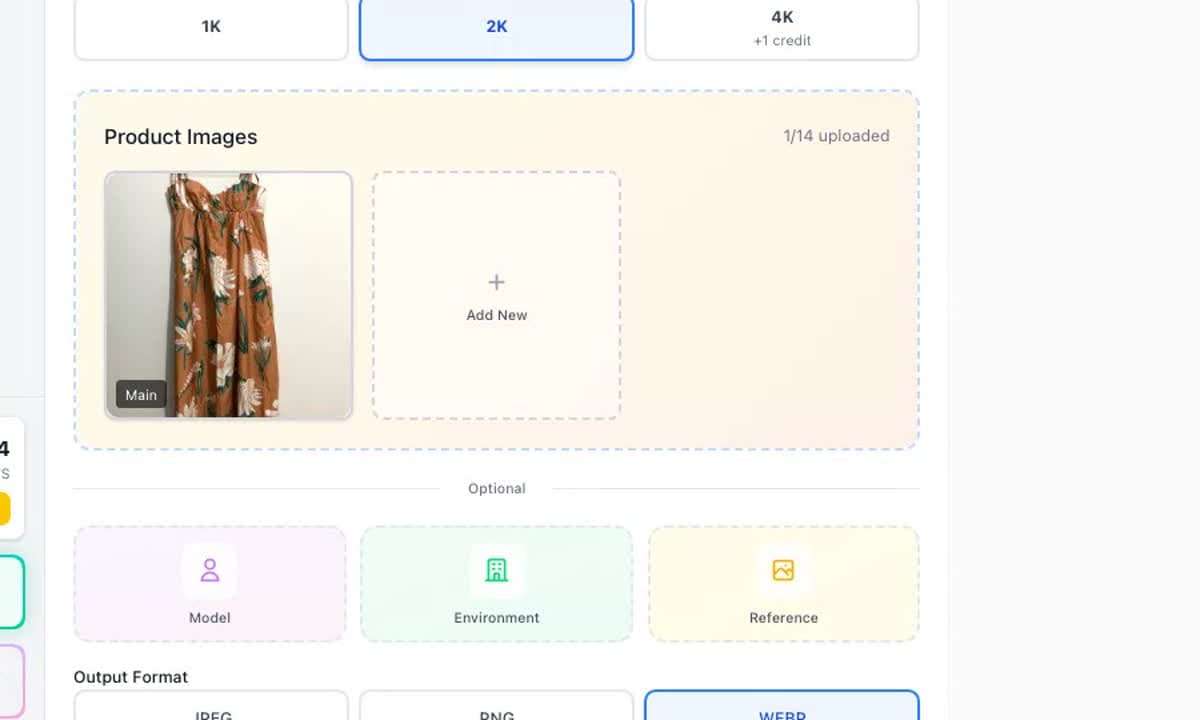
Close-up of the E-Commerce Creator product image upload area
Close-up: add the main product image and any extra references that clarify shape, color, and details.

Describe a clean studio product image

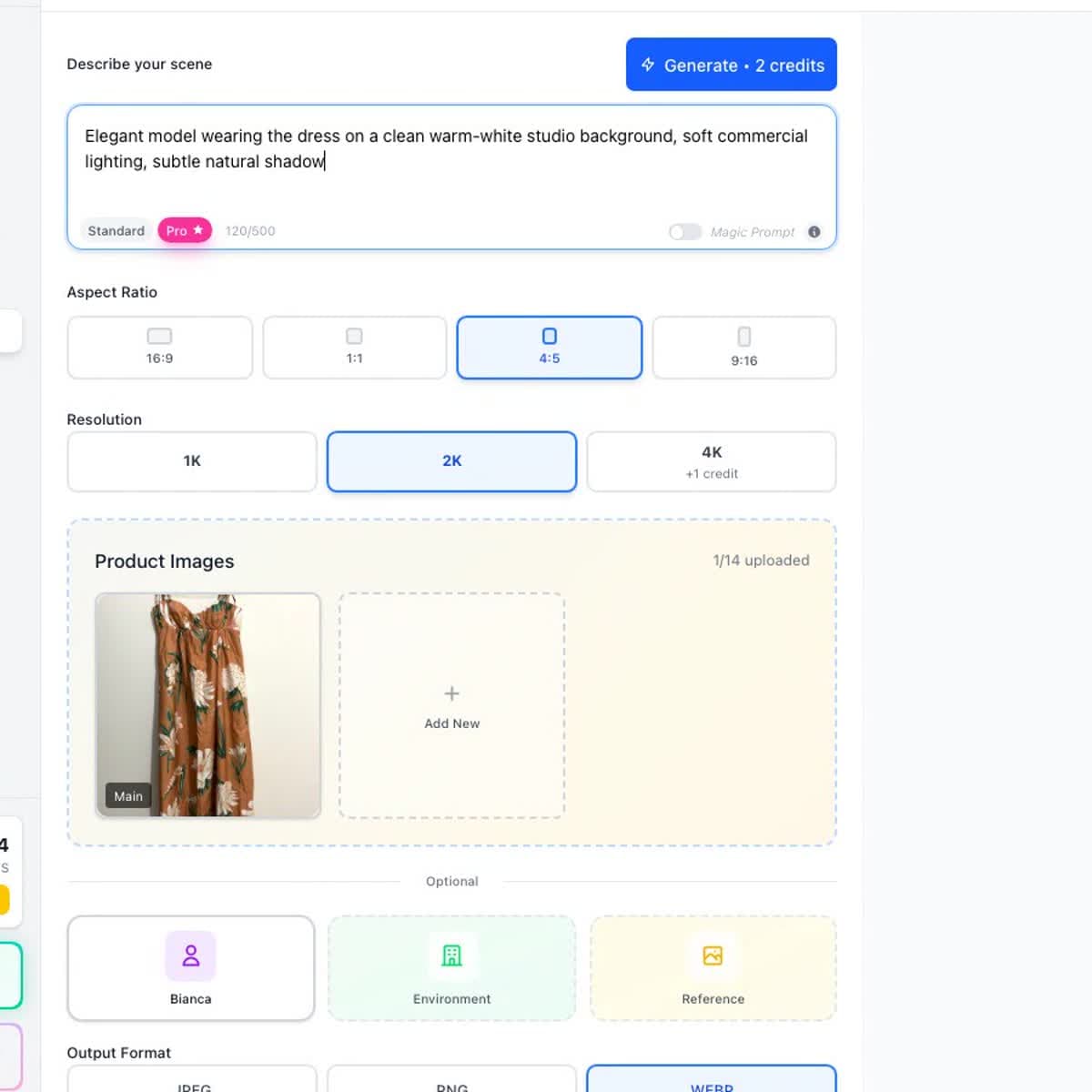
E-commerce prompts should be more practical than campaign prompts. Focus on product accuracy, commercial lighting, clean background, natural shadow, and clear garment fit. You can choose a model from the library or describe the model directly in the prompt.

  • Use words like clean studio background, soft commercial lighting, subtle shadow, accurate colors, and sharp fabric texture.
  • If the garment needs fit context, include a model and ask for a product-first pose rather than a dramatic editorial pose.
  • If the product should stand alone, describe flat lay, ghost mannequin, catalog shot, or product-only studio photography.
Close-up of the E-Commerce Creator prompt, aspect ratio, references, and model controls
Close-up: describe the studio shot, choose the product format, and keep the prompt focused on selling the item.

Choose WebP and generate

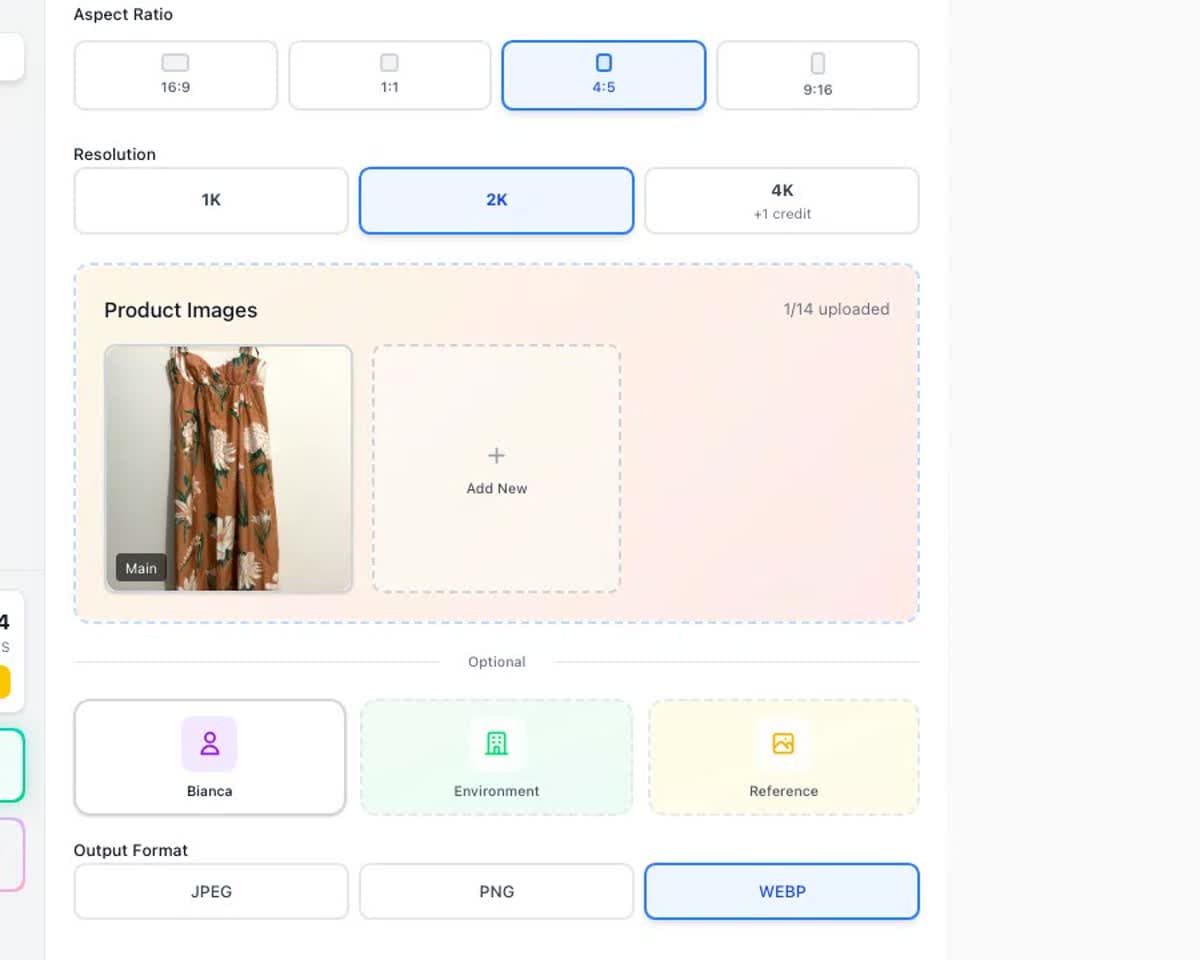
For product pages and storefront assets, format matters. Portrait works well for product detail pages, square is useful for grids and thumbnails, and WebP is the best export choice when you want sharp images with a smaller website file size.

  • 4:5 is strong for product pages because it gives the item more vertical space while staying image-friendly.
  • 1:1 works well for product grids, collection thumbnails, and marketplace-style layouts.
  • WebP keeps the final image sharp while reducing file size, which helps pages load faster.
  • Faster image loading is better for shoppers and can support stronger SEO performance on your store.
Close-up of the E-Commerce Creator aspect ratio and WebP output controls
Close-up: choose the product image shape, keep 2K quality, and export as WebP for website performance.

Best practices for e-commerce images

Protect product accuracy first

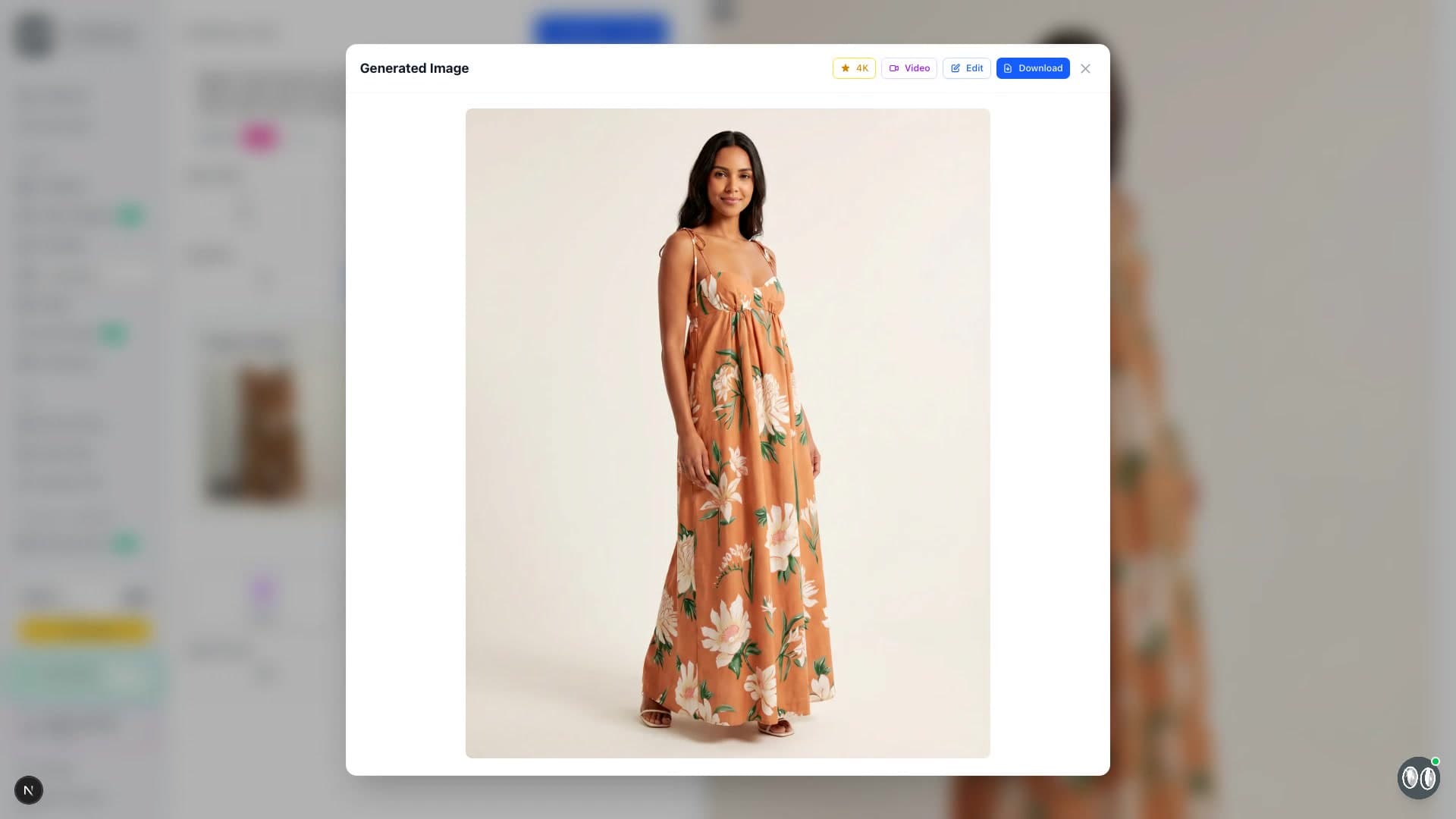
Before judging the background, check whether the product color, fabric, silhouette, length, straps, sleeves, buttons, and pattern still match the original item.

Keep the scene commercial

A product page image should be clean and easy to shop. Avoid backgrounds, props, poses, or lighting that distract from the item.

Use WebP for website speed

Large image files can slow product pages. WebP gives you a smaller file while preserving a sharp 2K look for storefront use.

Create a consistent set

Use the same background, model direction, lighting, and aspect ratio across a collection so your store feels professional and cohesive.

Starter prompts you can copy

Use these as starting points for website-ready product photos, then swap the product, model, background, and store style.

Model on clean studio background

Elegant model wearing the product on a clean warm-white studio background, soft commercial lighting, subtle natural shadow, full-body product-focused e-commerce photo, accurate colors, visible fabric texture, clear garment fit

Ghost mannequin catalog shot

Professional ghost mannequin product photo of the garment, clean white background, centered composition, soft even studio lighting, accurate color, sharp fabric texture, catalog-ready e-commerce image

Flat lay product image

Professional flat lay product photography on a warm neutral surface, product neatly arranged, soft studio lighting, subtle shadow, accurate material texture, clean e-commerce catalog image for a website product page

Why WebP product images matter for online stores

Fashion websites need high-quality images, but oversized files can slow product pages and make the shopping experience feel heavy. WebP helps keep images sharp with smaller files, which supports faster pages, better browsing, and stronger product-page performance without forcing you to compress the image until it looks poor.

E-Commerce Creator FAQ

What is an AI e-commerce product photo?

It is a product-focused image generated from your product references, prompt, model direction, and chosen website format.

What kind of product photo should I upload?

Use a clear image where the product color, fabric, shape, and important details are easy to see. Add extra references when details matter.

Can I use a model in the product image?

Yes. You can choose a model from the library or describe the model in the prompt when the item needs fit or styling context.

Why is WebP useful for e-commerce websites?

WebP keeps images sharp while reducing file size, which helps product pages load faster and keeps the shopping experience smoother.

E-Commerce Creator Tutorial

Create website-ready product photos with Milano AI

Open the E-Commerce Creator, upload your product references, choose or describe a model, and generate clean storefront images in WebP.

Create AI E-Commerce Product Photos
2 min

Related tutorials