
E-commerce Product Photography Best Practices: Complete Guide for Fashion Brands
Fashion e-commerce brands struggle with product photography that doesn't convert. This complete guide covers proven best practices for lighting, shot selection, styling, and editing—plus how Milano AI helps brands scale professional product photography 10x faster while cutting costs by 95%.
If you're running a fashion e-commerce brand, you already know the pain: you pour budget into traffic, but product pages don't convert. Most of the time, the culprit isn't your product – it's your visuals.
This article walks you through practical, no-nonsense best practices for e-commerce product photography, tailored to fashion and accessories. We'll focus on how to move the needle on conversions, not how to become a professional photographer.
1. The Real Problem: Your Photos Don't Answer "Can I Picture This on Me?"
When shoppers land on your product page, they're silently asking:
- How does this fit on a real body?
- What does the fabric actually look like up close?
- Will this work with my existing wardrobe and lifestyle?
If your images are dark, inconsistent, or missing key angles, they create doubt – and doubt kills conversions.
The solution: build a repeatable photography system that consistently shows every product in a clear, flattering, and shoppable way.
2. Build a Simple "Mini Studio" You Can Reuse
You don't need a massive budget, but you do need a consistent setup. That consistency is what makes your catalog look intentional and premium.
Essential Gear (On Any Budget)
- Camera or phone: A modern smartphone is absolutely fine for e-commerce if your lighting and setup are good.
- Tripod: Non-negotiable for sharp, consistent shots and matching angles across SKUs.
- Stable surface: A table, clothing rack, or mannequin area for flat lays, folded shots, and accessories.
- Background: Seamless white roll, backdrop paper, or foam board for clean catalog shots; additional textured or colored backdrops for lifestyle and campaign content.
- Reflector / bounce card: White foam board or dedicated reflector to soften shadows and lift dark areas.
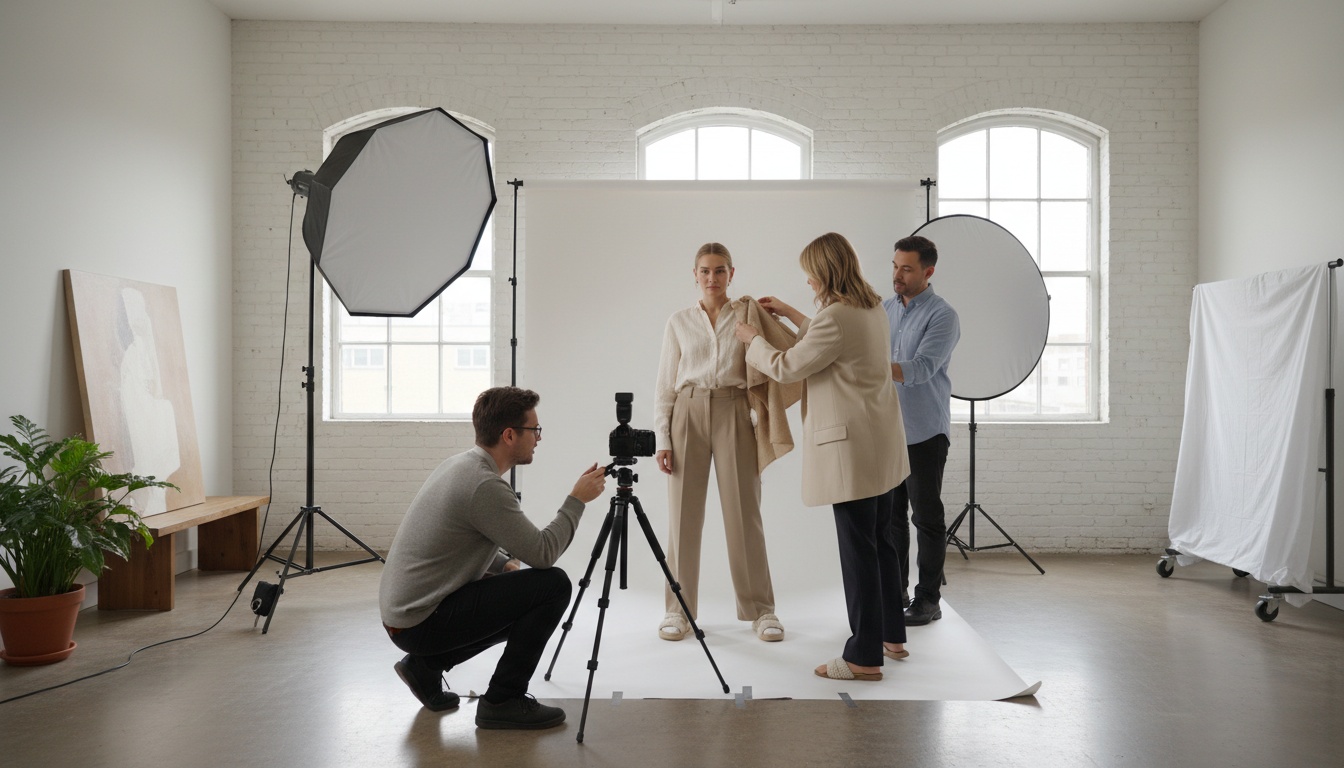
Your Basic Studio Layout
- Place your table or mannequin next to a large window for soft, indirect natural light.
- Put your backdrop behind and under the product to create a curve (no visible horizon line).
- Set your tripod directly in front or slightly off to the side, depending on the shot type.
- Use a reflector opposite the window to bounce light back and soften harsh shadows.
Once this mini studio is dialed in, you can crank through products instead of reinventing your setup every time.
3. Choose the Right Shot Types for Fashion E-commerce
Each product needs a mix of image types that work together to reduce uncertainty and sell the look.
Essential Image Types
- Clean white background shots: Front, back, and side views for marketplaces and PDPs. Ideal for dresses, tops, footwear, and accessories.
- Lifestyle images: Product worn or used in context (street, studio, home). These help shoppers imagine themselves in the piece and understand fit and vibe.
- Detail / close-up shots: Fabric texture, stitching, hardware, prints, zippers, buttons, and labels – critical for premium and technical garments.
- Packaging shots: Especially important for gifting, luxury, or subscription boxes. Show boxes, dust bags, tags, and unboxing experience.
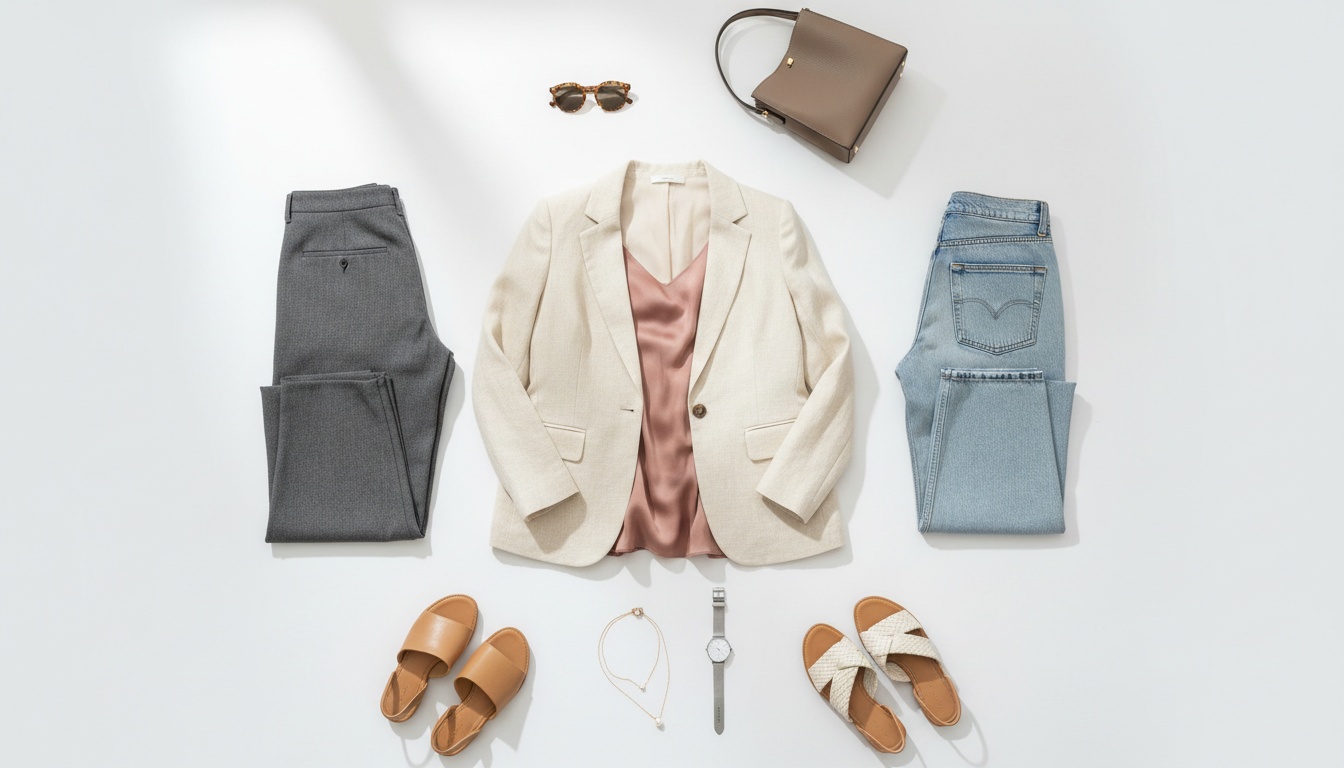
- Group shots: Colorways together, full outfits, or bundles (e.g., "full look" with shoes, bag, and accessories).
- Fit & scale shots: Model heights and sizes wearing different sizes, or items held/worn to show proportions.
A simple rule: if a customer might ask a question about it in reviews or DMs, it deserves its own photo.
4. Get the Lighting Right (This Matters More Than the Camera)
Lighting is the difference between "cheap boutique" and "premium brand" – even with the same garment.
Natural vs. Artificial Light
- Natural light: Soft, indirect window light is perfect for many fashion shoots. Avoid harsh midday direct sun.
- Golden hour & overcast days: Ideal for outdoor lifestyle – low, diffused light that flatters skin and textiles.
- Artificial light: Softbox or continuous LED panels give you consistent results when natural light is unreliable.
Controlling Shadows
- Use a reflector to lift deep shadows on faces, folds, or accessories.
- Adjust distance from the light: Closer = softer, more flattering shadows. Farther = harder, crisper shadows (can be used intentionally for a more editorial look).
- Add a diffuser (sheer curtain, diffusion panel, thin white sheet) between light and subject to soften harsh light.
5. Edit for Accuracy, Not Illusion
Good editing should make your photos look true-to-life and polished, not fake.
Core Adjustments
- Sharpness: Lightly sharpen edges – especially seams, collars, and textures.
- White balance: Correct color casts so whites look neutral and fabrics match reality. Warmer tones often feel more inviting, but don't distort the actual color.
- Exposure & contrast: Brighten enough to see all details; add a bit of contrast to add depth without crushing shadows or blowing out highlights.
- Saturation: Slight boost can bring garments to life; heavy saturation makes colors look unrealistic and leads to returns.
Optimize for Web Performance
- Aim for around 2048 x 2048 px for square product images – large enough to zoom without slowing your site down.
- Compress images before uploading so pages load fast and don't hurt your SEO.
- Use descriptive file names and alt text (e.g., "black-silk-slip-dress-front-view" instead of "IMG_1234") to improve search visibility and accessibility.
6. How Milano AI Eliminates Traditional Photography Bottlenecks
If all of this sounds like a lot to manage manually – you're right. That's exactly why Milano AI exists.
Milano AI is the complete AI-powered platform built exclusively for fashion and e-commerce brands to create, scale, and distribute professional visual content at speed and at a fraction of traditional costs.
Turn Basic Product Photos into Full Campaigns
- Start with simple product shots (even basic studio images).
- Use Milano AI to transform them into campaign-ready visuals – lifestyle scenes, editorial-style setups, on-brand backgrounds – in minutes, without booking photographers, models, or studios.
- Generate unlimited variations per SKU to cover PDPs, lookbooks, ads, and social from a single shoot.
Build Complete E-commerce Catalogs Automatically
- Create white background images, lifestyle contexts, ghost mannequin effects, and marketplace-ready shots across your entire catalog.
- Use bulk upload to process large collections at once, so you can keep up with drops, seasonal capsules, and multi-channel requirements.
Beyond Photos: Your Complete Marketing Operating System
Strong product images are just the start. Milano AI also acts as your marketing automation suite built around fashion e-commerce:
- Launch video campaigns using pre-built templates.
- Create AI avatar videos for product demos, try-ons, or tutorials.
- Generate daily SEO-optimized blog content that ranks on Google and ChatGPT.
- Automate social media posts across platforms with visuals and copy aligned to your brand.
- Design interactive catalogs and lookbooks and enable live shopping experiences from one dashboard.
Conclusion: Scale Product Photography Without Scaling Costs
The biggest friction point for growing brands isn't one photoshoot – it's doing this every week for new collections, restocks, and marketplaces.
Whether you're shooting in-house or exploring AI solutions, the fundamentals remain: consistent lighting, strategic shot selection, accurate editing, and systematic workflows.
Milano AI gives fashion brands the infrastructure to execute these best practices at scale – cutting content costs by up to 95%, scaling production speed by up to 10x, and replacing fragmented tools with a single platform that understands fashion.
If you're serious about leveling up your e-commerce product photography – not just for one photoshoot, but as a scalable system – Milano AI gives you the complete operating system to do it at the pace modern fashion demands.
Frequently Asked Questions
You need: (1) A modern smartphone or camera, (2) A tripod for sharp, consistent shots, (3) A stable surface (table, clothing rack, mannequin), (4) Seamless white backdrop or foam board for clean catalog shots, (5) A reflector or white bounce card to soften shadows. This basic setup costs $100-300 and produces professional results when combined with good lighting and consistent technique.
Scale Your Fashion E-Commerce with AI
Create professional campaigns and product photography in minutes. Start with 10 free credits—no credit card required.